Shopify doesn't report where your app ranks in App Store search. Your listing's Google Analytics can show which searches sent visits, but not your position, and nothing for the searches where you're too low to be clicked. To track rankings you need your position for each search, every day, kept over time. AppstorePulse checks it daily for every keyword you add, with difficulty, volume, your top competitor and, on Pro, the reasons behind each move.
Before you start
- An AppstorePulse account. The free plan tracks 3 keywords, Starter 20 per app, Pro 100 per app.
- Your app added in AppstorePulse.
- History starts the day you add a keyword, so add your important searches first.
Why rankings decide your installs
Most merchants find apps by searching the App Store, and they click the first results. Moving from #11 to #6 on a search can matter more than any marketing you do that month.
Rankings also tell you which keywords you can win. As I teach in my course, you can't rank for keywords outside your app's category, so choose your category with care. And to estimate how much traffic a keyword brings, look at the number of reviews on the top 5 apps for it: more reviews means more traffic.
Doing it by hand
Log out, search the App Store for your keyword, and count where your app appears. Ignore results marked as ads: they're paid placements. Write the position in a spreadsheet with the date, and repeat for every keyword, every day.
Results also change with the merchant's language, so one check in English says nothing about German or French searches. After a week you'll have gaps, and when you drop you still won't know if it was you, a competitor, or a change across the whole App Store.
The full walkthrough
Add your keywords
Open Keywords and type a search merchants use, or paste a whole list. AppstorePulse also suggests keywords from your listing. Add the searches you already rank for and the ones you want to win.
- Start with the 3 to 5 searches that describe what your app does.
- Add the searches your competitors rank for. On Starter and Pro, AppstorePulse lists them for you.
Read the rankings table
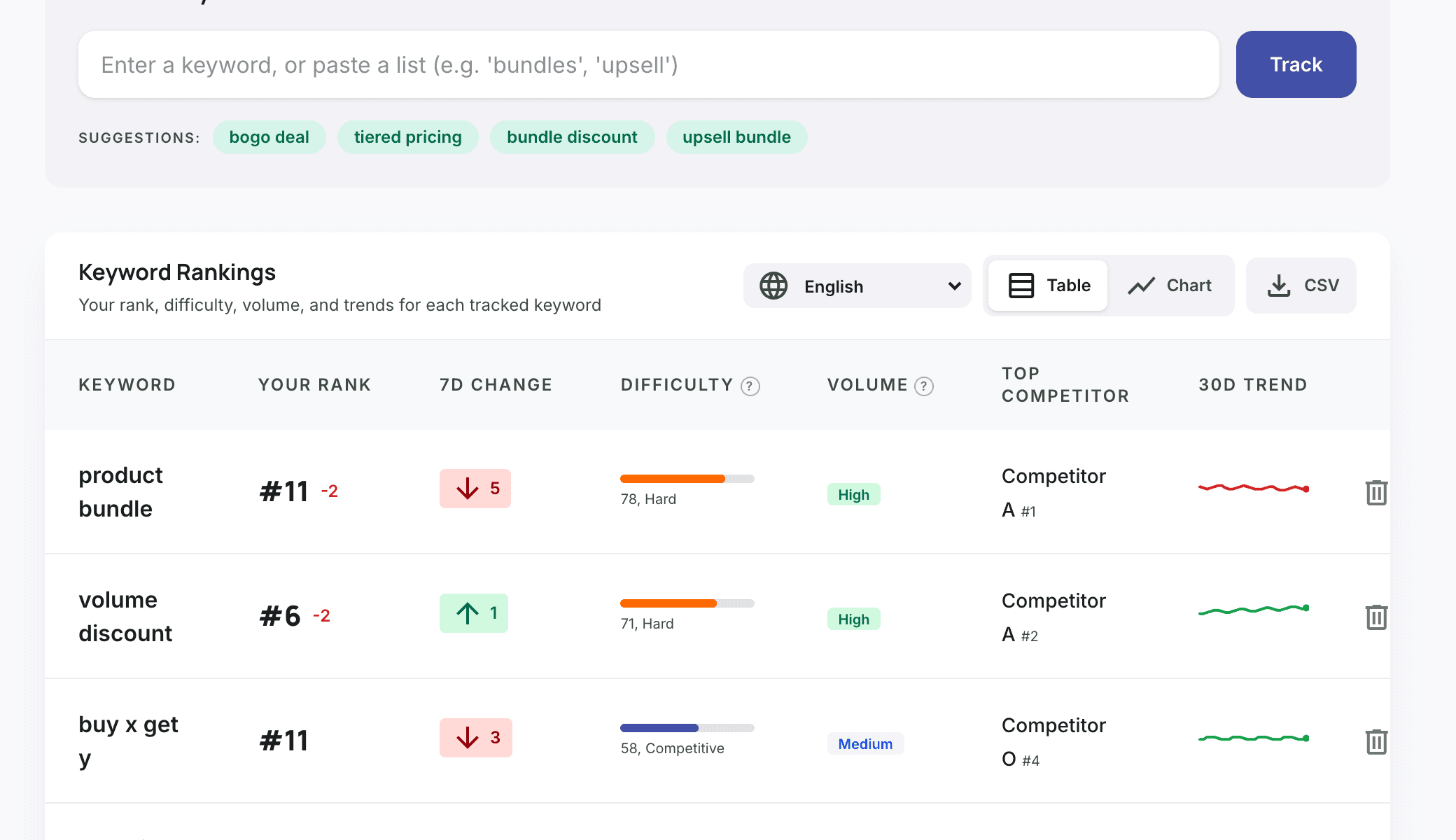
Each row is one search, updated daily.
- Your rank, and how it moved over 7 days.
- Difficulty from 1 to 100, and a volume tier (low, medium, high).
- The app ranking #1 among your competitors, and a 30-day trend line.
- Switch to Chart to see all keywords on one graph, or export to CSV.
- On Pro, pick another language to see your rankings in German, French and 18 other App Store languages.
Open a keyword to see its history
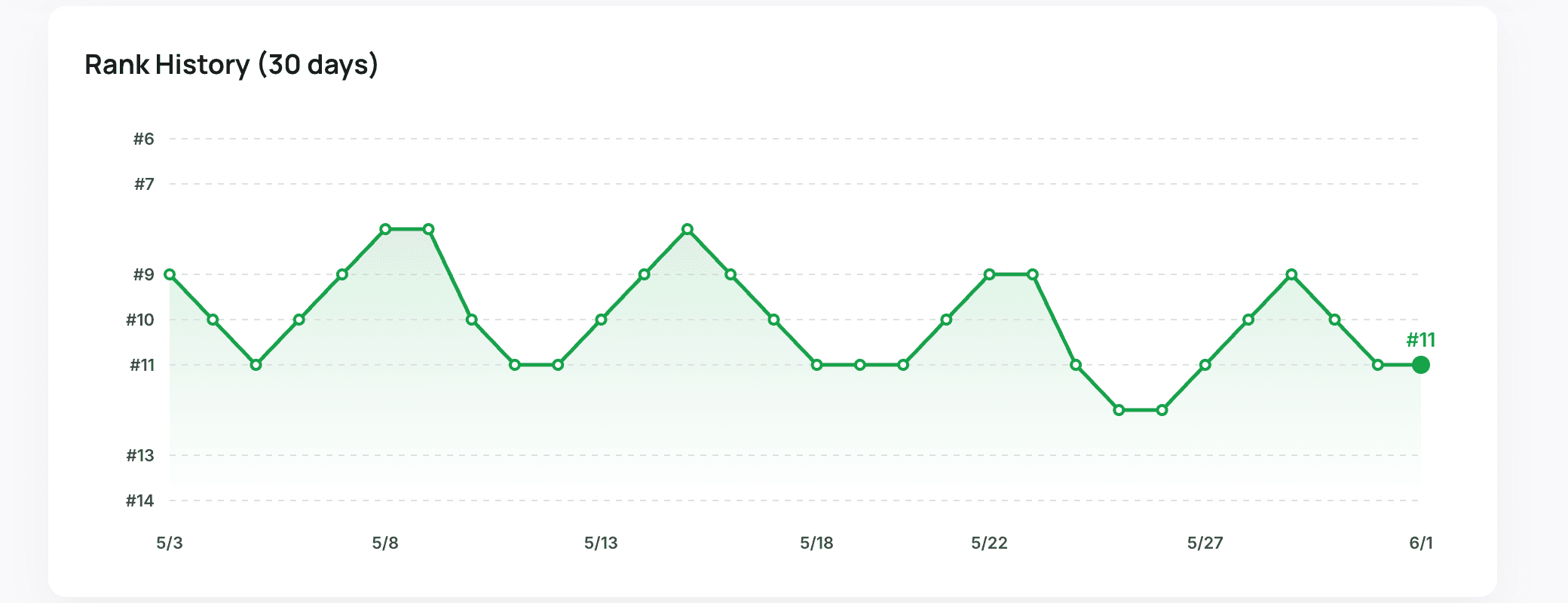
Click a keyword for its rank history day by day (90 days on Starter, a year on Pro). Drops you can date are drops you can explain.
See why you moved (Pro)
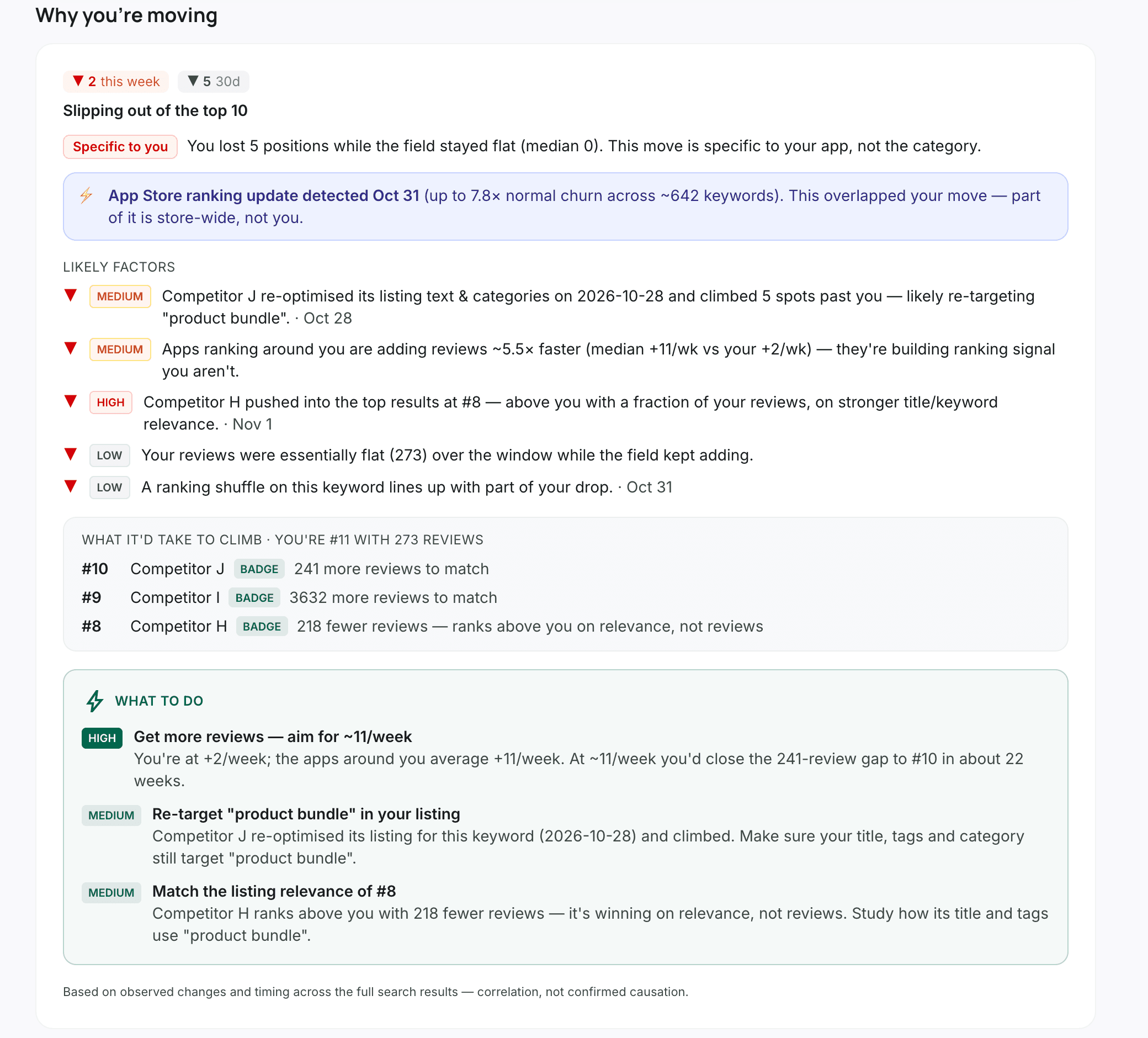
Rank Insights looks at your move against the whole search: whether it's specific to you or the whole App Store moved, which competitors passed you and what they changed on their listing, how fast the apps around you gain reviews, and what it would take to climb. Then it lists what to do first.
Check who ranks above you
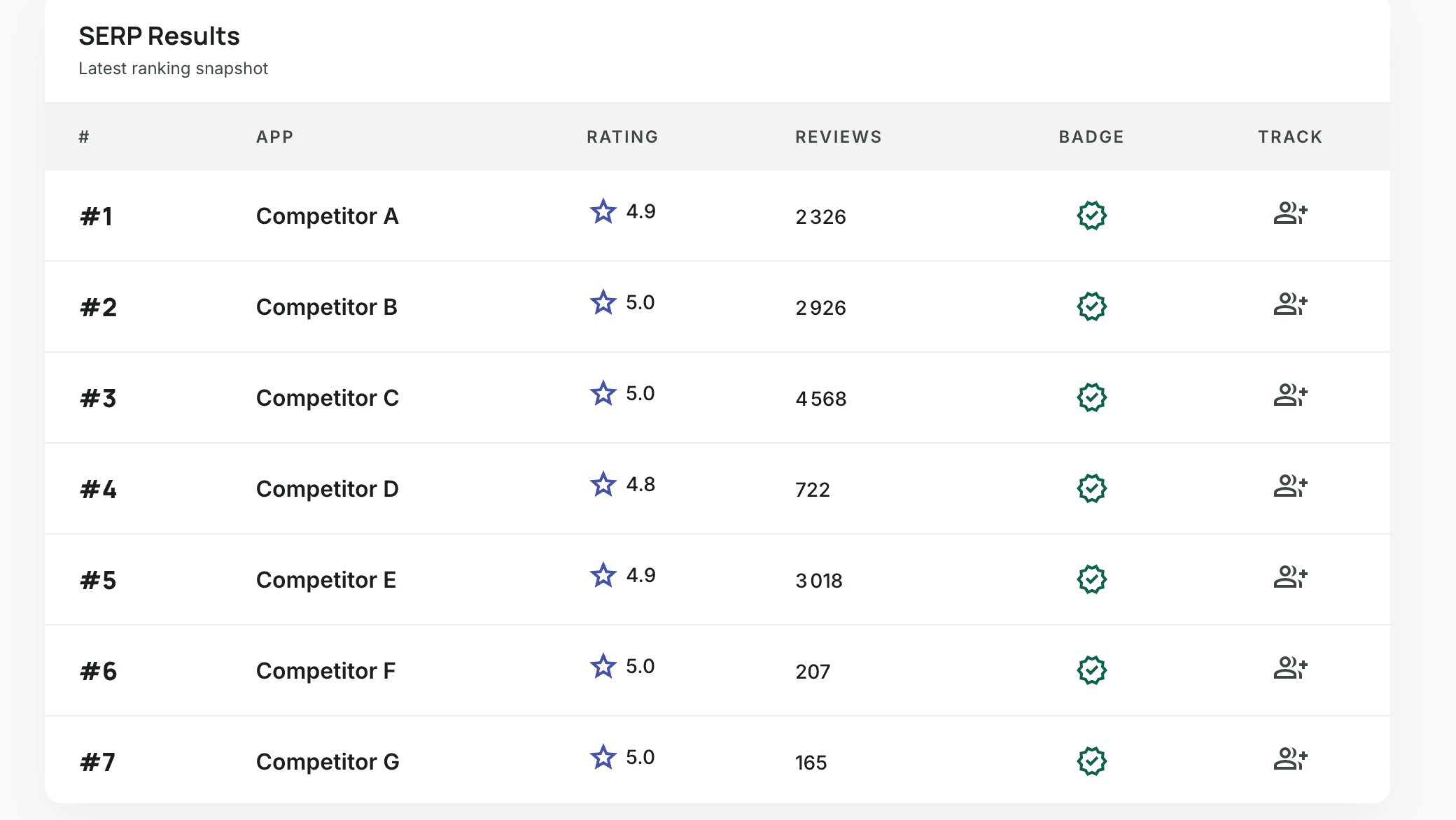
Below, the latest search results for that keyword: every app with its rating, reviews and Built for Shopify badge. Track any of them as a competitor in one click.
Get the changes by email
On Starter and Pro, a daily email digest lists every tracked keyword's rank change from the day before. You know you dropped the morning after, not weeks later.
Frequently asked
Does Shopify show my app's keyword rankings?
No. The Partner Dashboard and your listing's Google Analytics show visits and installs, and Google Analytics can show the searches that sent visits, but neither shows your position in App Store search results.
How often are rankings updated?
Daily. Each tracked keyword gets a new position every day, and history builds from the day you add it.
Can I track rankings in other languages?
Yes, on Pro: 21 App Store languages, each with its own rank and history.
Can I track a keyword I don't rank for yet?
Yes. Add any search. If your app isn't in the results yet, you'll see who ranks and the day you enter.
How many keywords can I track?
3 on the free plan, 20 per app on Starter ($49/month) and 100 per app on Pro ($99/month).