The Shopify App Store shows each listing as it is today and keeps no history. When a competitor raises a price, rewrites its intro, adds screenshots or earns the Built for Shopify badge, nothing tells you. To see it, you need a copy of each listing every day and a comparison with the day before. AppstorePulse does that for the competitors you track and shows every change in one feed, next to your own changes.
Before you start
- An AppstorePulse account. The free plan tracks 1 competitor, Starter 5 per app, Pro 20 per app.
- Your own app added in AppstorePulse, so your changes show next to theirs.
- History starts the day you add a competitor. Add the ones you care about early.
Why competitor changes matter
When a competitor passes you on a keyword, the reason is often on their listing: a new title, a keyword moved into the intro, a new category, a burst of reviews. If you only notice weeks later, you can't tell which change did it.
Price changes matter too. A rival dropping its entry plan or adding a free plan changes what merchants compare you against on the same results page.
Doing it by hand
Open each competitor's listing, copy the name, intro, description, features, pricing plans and categories into a document, and count the screenshots and reviews. Repeat on a fixed day and compare the two versions line by line.
It works for two or three rivals, once a week. Past that you miss changes that came and went between checks, and you have no dates to line up with your rank moves. The Wayback Machine helps only when someone happened to save the page.
The full walkthrough
Add the competitors you want to watch
Open Competitors and add apps by name or App Store link. You can also add one in one click from the search results of any keyword you track: the apps that rank above you are usually the ones to watch.
Read the activity feed
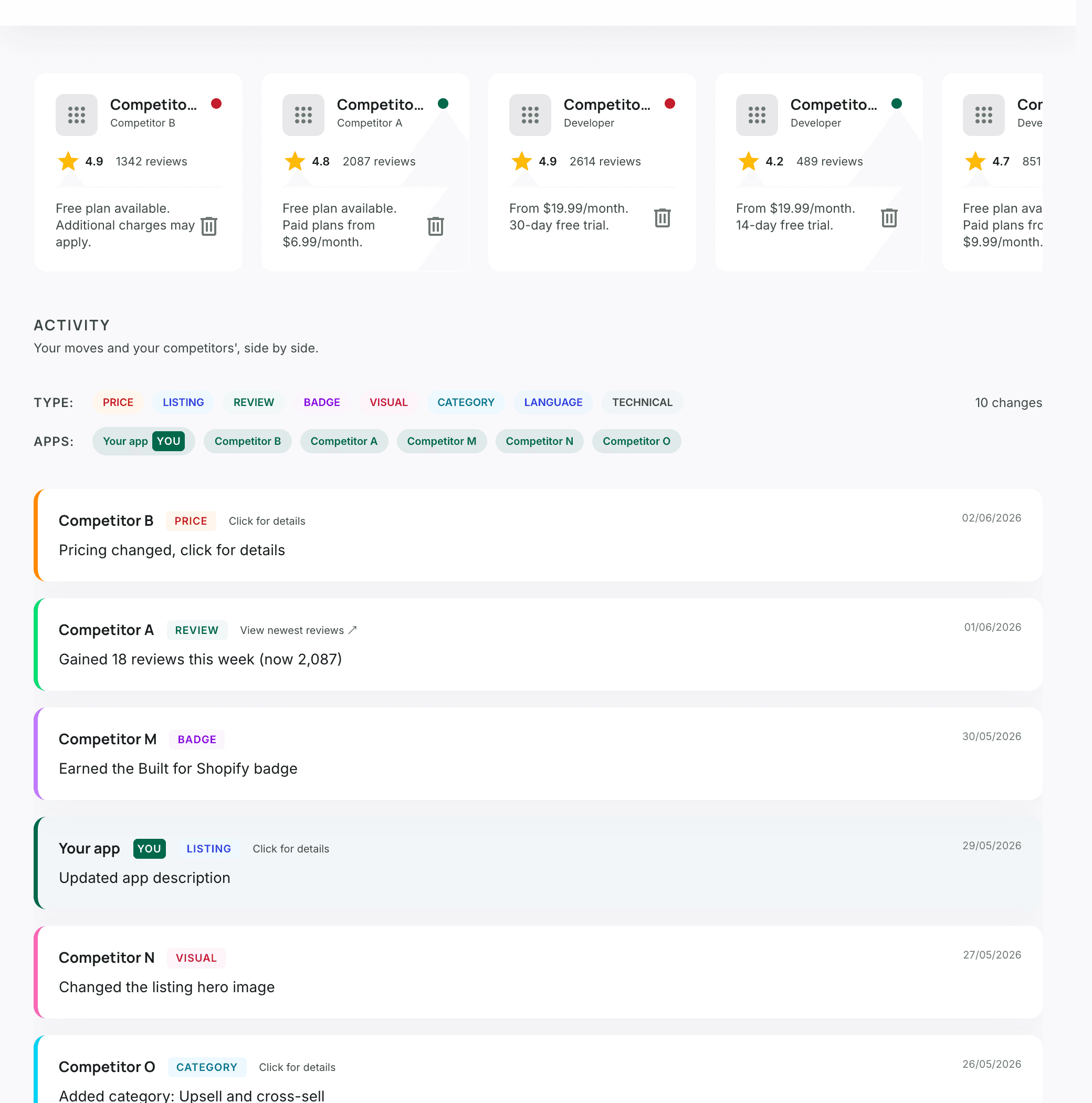
Competitors shows every change from your rivals and from your own app, newest first. Filter by type or by app to see one thing at a time.
- Price: plans and prices changed.
- Listing: name, intro, description or features rewritten. Click to see before and after.
- Review: reviews gained over the week, with the new total.
- Badge: Built for Shopify earned or lost.
- Visual, Category, Language: screenshots and hero image, categories, languages supported.
Open a competitor to see its whole listing
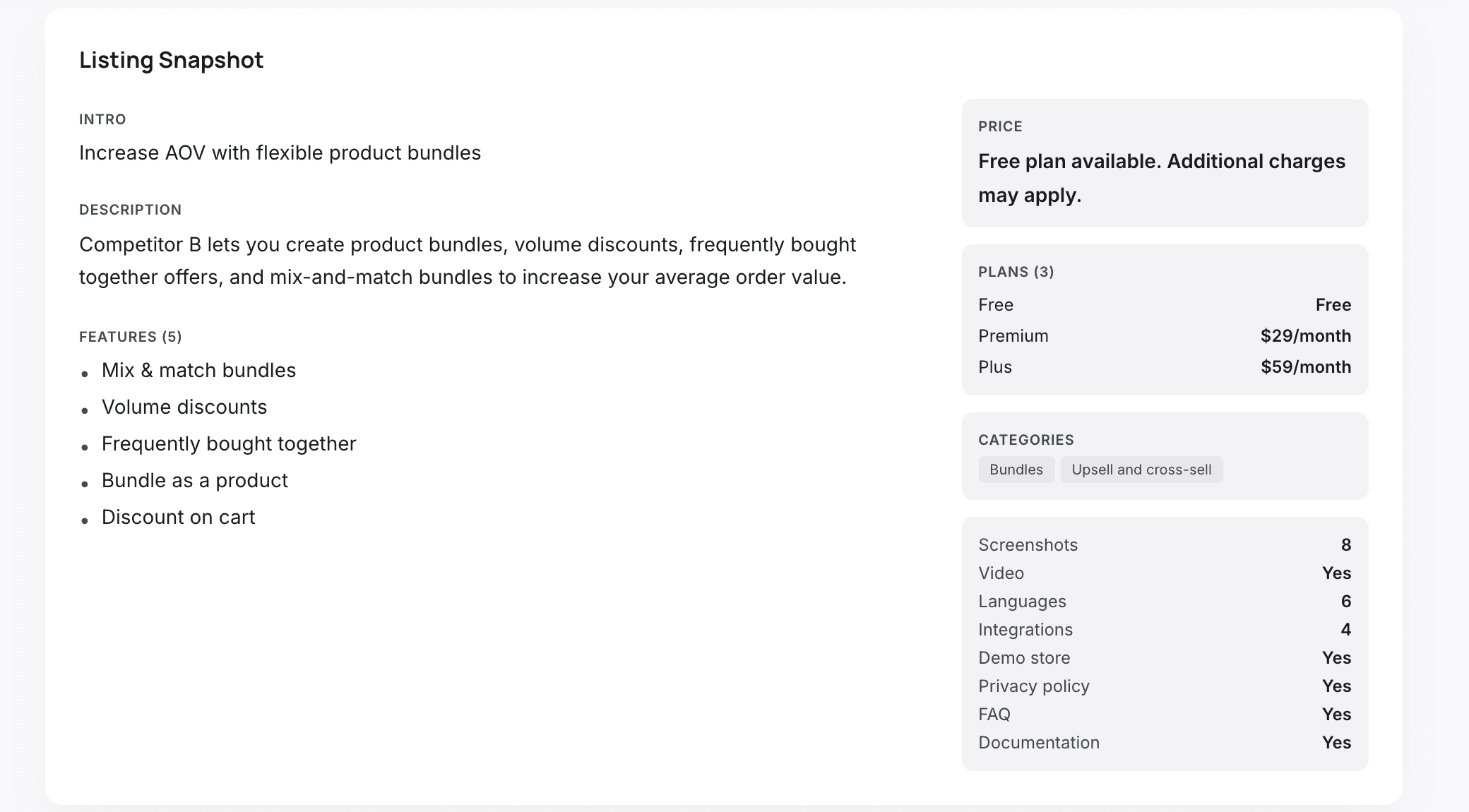
Click a competitor for a snapshot of its listing today: intro, description, features, every pricing plan, categories, and how many screenshots, languages and integrations it has, and whether it has a video, a demo store and docs.
Compare your keyword ranks with theirs
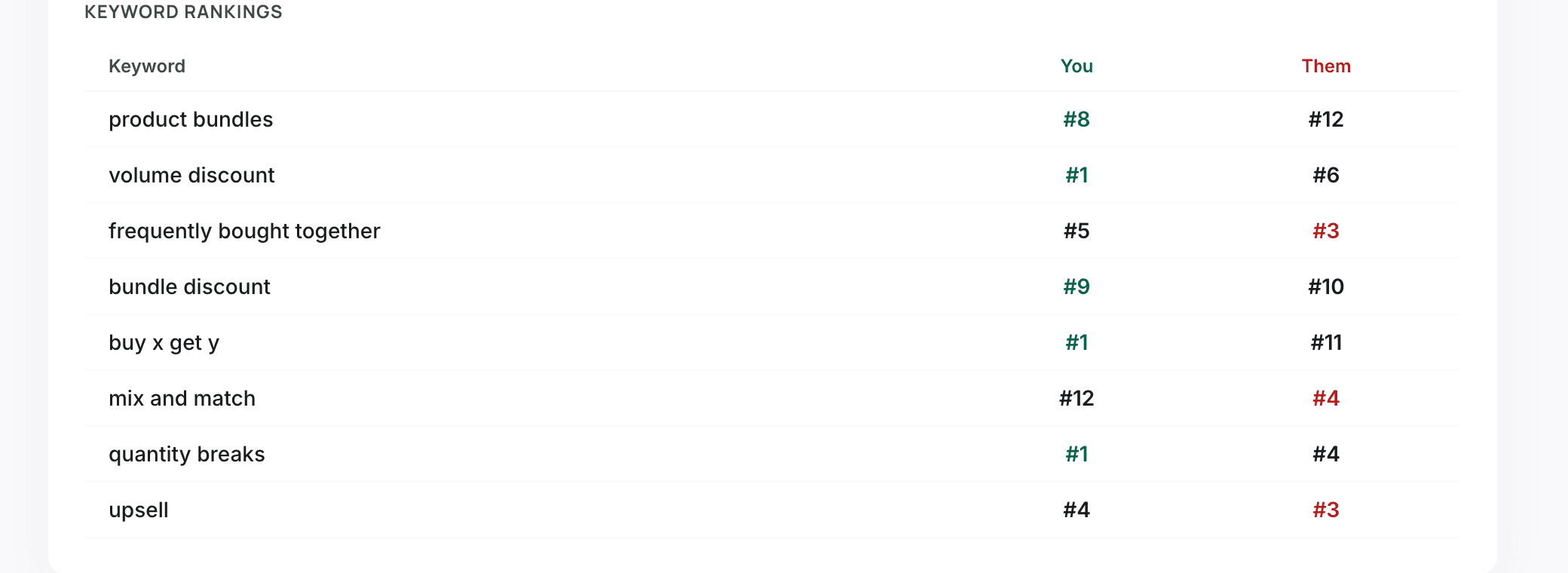
On the same page, the keyword table puts your rank and theirs side by side for every keyword you track. Green where you lead, red where they do. Starter and Pro also show the keywords they rank for and you don't track yet, so you can add them in one click.
Check the change history
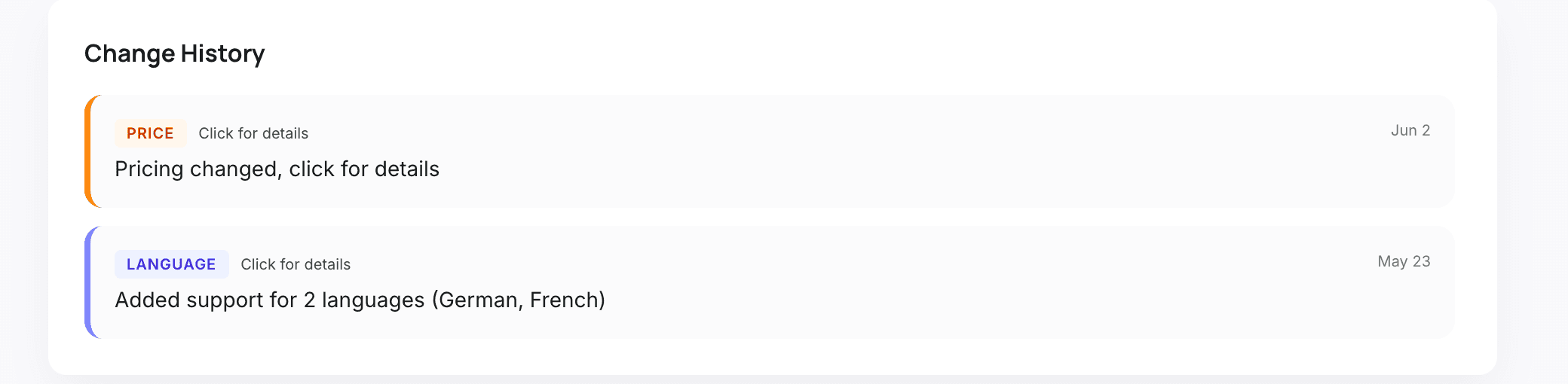
At the bottom, every change this competitor made since you started tracking it, dated. When you drop on a keyword, this is where you look first: what did they change in the days before?
Get changes by email
On Starter and Pro, a daily email digest lists the changes from the day before, so you don't have to open the app to know what moved. History keeps 90 days on Starter and a year on Pro.
Frequently asked
Does Shopify notify you when a competitor changes its listing?
No. The Shopify App Store shows each listing as it is now and keeps no change history. You have to keep your own copies, by hand or with a tool.
Which changes does AppstorePulse track?
Price and plans, name, intro, description and features, screenshots and hero image, Built for Shopify badge, categories, languages, reviews and rating, and technical details such as video, demo store and integrations.
How fast do I see a change?
Listings are checked daily, so a change shows up the next day in the activity feed and in the daily email digest on Starter and Pro.
Can I see changes from before I added a competitor?
No. History starts the day you add a competitor, which is why it's worth adding your main rivals early.
How many competitors can I track?
1 on the free plan, 5 per app on Starter ($49/month) and 20 per app on Pro ($99/month).