Shopify records every uninstall, but it doesn't ping you when one happens. Your app gets an app/uninstalled webhook to clean up, and the Partner Dashboard shows the uninstall later, if you go and look. AppStorePulse reads your Shopify Partner account every few minutes and sends you an email or a webhook for each store that removes your app, with the reason it picked when there is one. You can also start an email to that merchant automatically, to ask what was missing.
Before you start
- A Starter or Pro plan. Revenue notifications are not on the free plan.
- Your Shopify Partner account connected in Settings, with your app mapped to its Partner app.
- Notifications follow the workspace owner's settings and go to the owner's account email.
- For the follow-up email: Emails & Flows set up, with your app sending the app_uninstalled event.
What Shopify gives you
Your app can subscribe to the app/uninstalled webhook. It tells your app which store left, which is what you need to clean up data, but it doesn't reach your inbox and it doesn't carry the merchant's uninstall reason.
The Partner Dashboard keeps each install and uninstall and shows the reason merchants select when they remove an app. It is a page you check, not an alert.
Doing it by hand
Add code to your app/uninstalled handler that emails you or posts to your team chat, and open the Partner Dashboard to read the reason. Or check the dashboard every morning and note who left.
It holds while uninstalls are rare. Then the alerts mix with your app's logs, the reason lives on another screen, and nobody follows up with the merchant while they still remember why they left.
The full walkthrough
Connect your Shopify Partner account
In Settings, under Partner settings, paste your Organization ID and Partner API token, then map your app to its Partner app. Notifications read installs, uninstalls and charges from there.
Turn on revenue notifications and pick where they go
In Settings, find Revenue notifications and switch on Enable revenue notifications. Choose Email, Webhook or both.
- Email goes to your account email.
- Webhook posts a JSON payload for each event to the https URL you enter: your own server, or a tool like Zapier or Make. View a sample payload right under the URL.
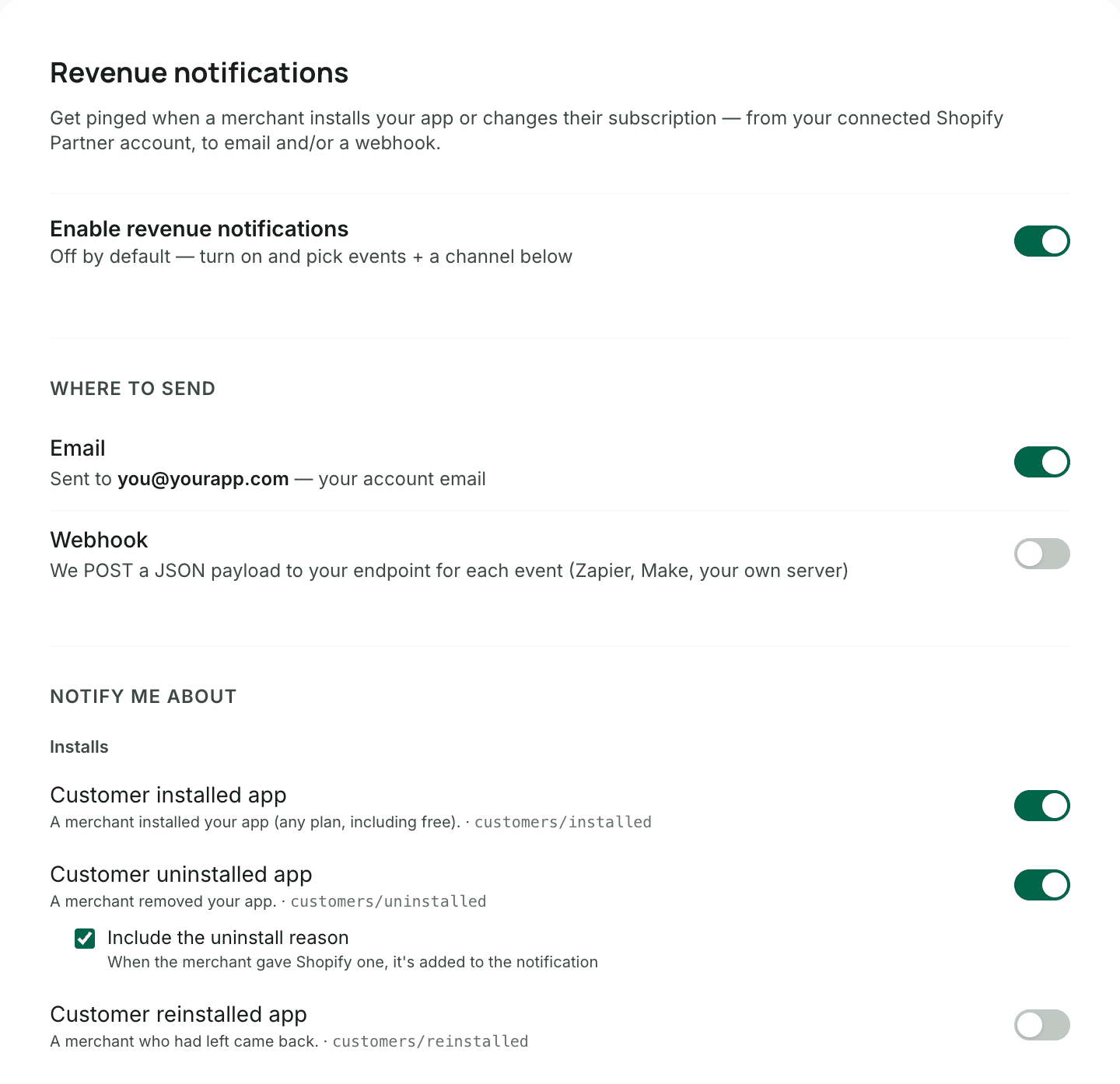
Switch on Customer uninstalled app
Under Notify me about, turn on Customer uninstalled app and tick Include the uninstall reason. When the merchant gave Shopify a reason, it's added to the notification.
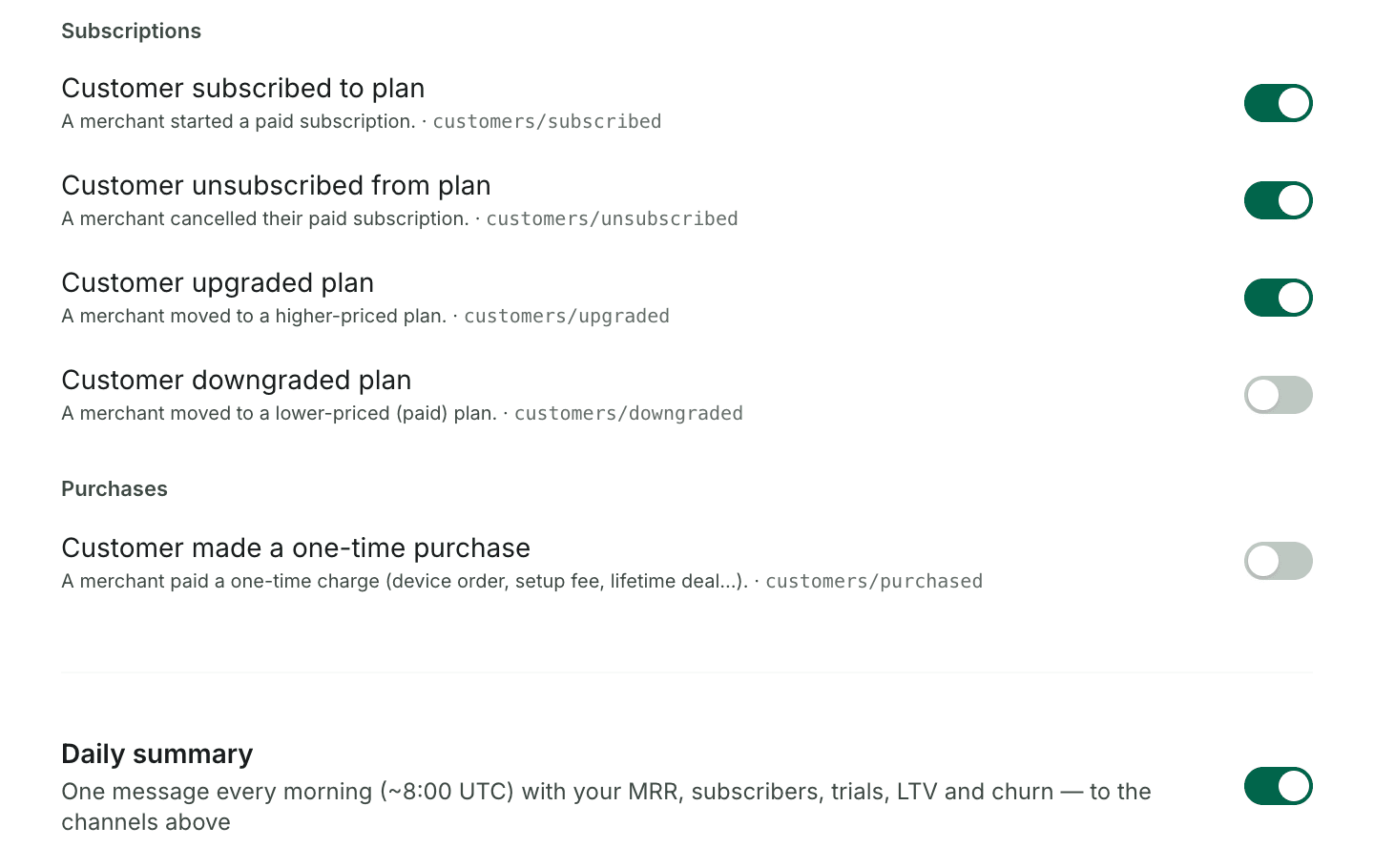
- Uninstalls are off by default. Installs, new subscriptions, upgrades and one-time purchases are on.
- Turn on Customer unsubscribed from plan too, to hear about stores that stop paying but keep your app installed.
- Use Send test to see a sample notification before you save.
Add the daily summary
Daily summary sends one message every morning, around 8:00 UTC, with your MRR, subscribers, trials, LTV and churn, to the same channels. Click Save.
- Notifications start from the moment you turn them on, so you never get a flood of old events.
- When several events land at once, they arrive in one email instead of many.
Email the merchant who left
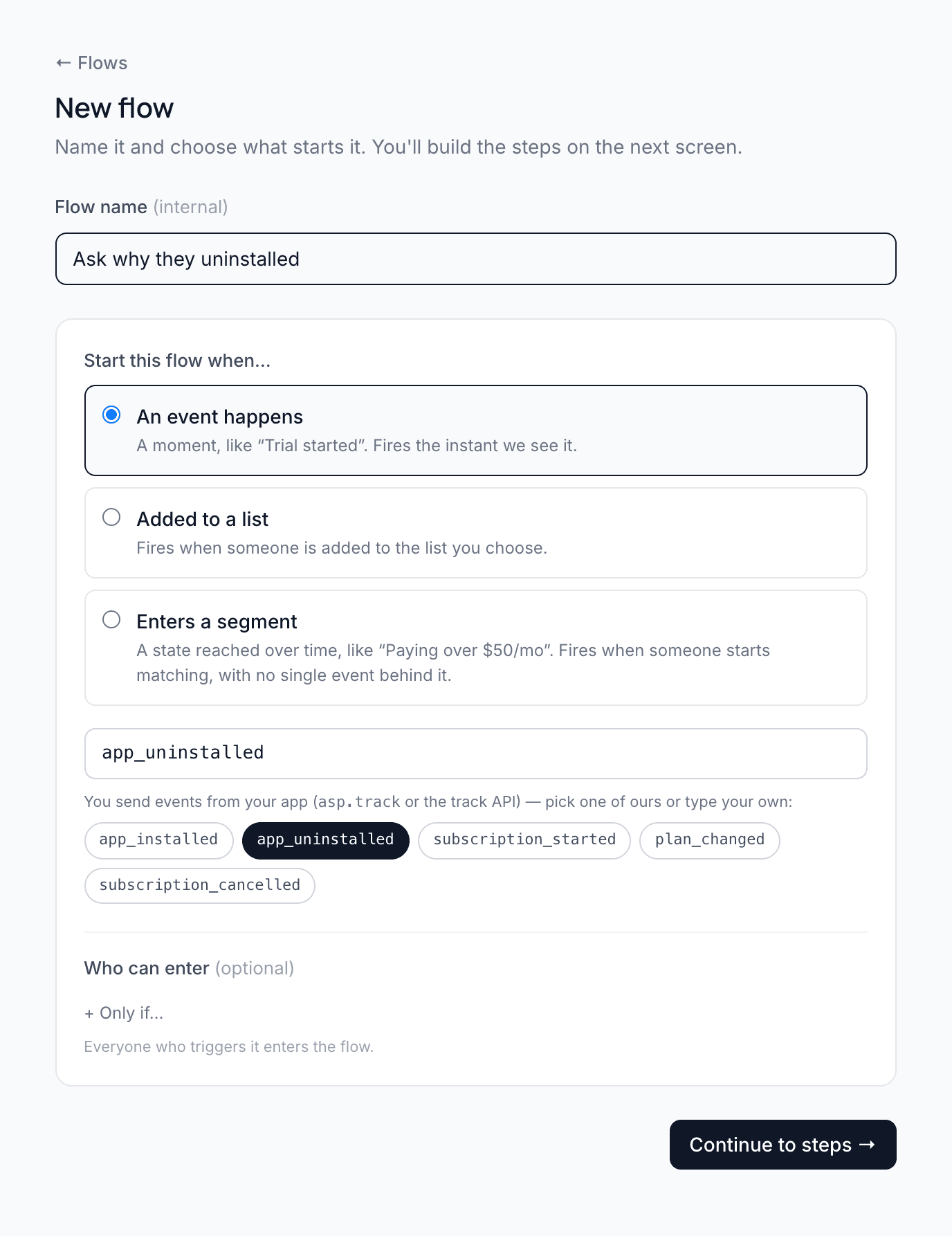
A notification tells you. A short email asks them. In Emails & Flows, create a flow that starts when an event happens and pick app_uninstalled. Your app sends that event from its app/uninstalled webhook handler.
- Add a wait of an hour or so, then one plain email: what was missing? One line is enough.
- Each flow runs once per store, so a merchant who reinstalls and leaves again isn't asked twice.
- If they come back and subscribe within 30 days of clicking, the email gets the credit as a win-back.
See who left over time
Revenue & Churn charts installs against uninstalls month by month. In Customers, filter on Churned and pick how recently they left to see exactly which stores were in a bad week.
Frequently asked
Does Shopify notify me when someone uninstalls my app?
Not in your inbox. Your app receives the app/uninstalled webhook, and the Partner Dashboard shows the uninstall when you look.
Can I see why a merchant uninstalled my app?
When the merchant selects a reason in Shopify, it shows in your Partner Dashboard. Tick Include the uninstall reason and it's added to your notification too.
How fast do uninstall notifications arrive?
We check your Partner data every few minutes, so a notification usually follows the uninstall within minutes.
Can I send uninstall alerts to Slack or another tool?
Use the webhook channel: each event is posted as JSON to the URL you choose, which Zapier, Make or your own server can forward anywhere.
Which plan do I need?
Starter ($49/month) or Pro ($99/month), with your Shopify Partner account connected. The follow-up email uses Emails & Flows, included in both plans.